
Table of Contents
The Login Screen Is Getting a Funeral, and Your Face or Fingerprint Is the Replacement
Passkeys are quietly replacing the password across major platforms, built on cryptography that makes phishing largely irrelevant. Here is how the technology actually works, and why it has taken this long to arrive.
A Forty-Year-Old Idea Finally Reaching Its Breaking Point
The password has outlived nearly every other piece of original internet infrastructure, and not because it has aged well. It has survived mainly because replacing it required coordinated change across an enormous number of independent websites, operating systems, browsers, and devices simultaneously, a coordination problem that took decades of industry alignment to actually solve. That alignment has now largely happened, and the result is passkeys, a password less authentication standard now supported by Apple, Google, Microsoft, and a rapidly growing list of major websites and apps.
Unlike previous password alternatives that came and went as niche security tools, passkeys have been built directly into the operating systems and browsers billions of people already use, meaning the technology does not require a separate app, a physical security key purchase, or specialized technical knowledge to use, a design choice specifically intended to finally achieve the mainstream adoption earlier password replacement attempts never managed.
Why Passwords Were Broken From the Start
Passwords have a fundamental design flaw baked into how they work: they are a shared secret, a piece of information that must be transmitted from the user to the website and then stored, in some form, on that website’s servers, creating multiple points where the secret can be intercepted, stolen, or exposed. Data breaches exposing millions of stored passwords, sometimes weakly encrypted or entirely unencrypted, have become a routine, almost expected category of news story, and each breach hands attackers a working password that, given how frequently people reuse passwords across multiple accounts, often unlocks far more than the single breached service.

Beyond breaches, passwords remain fundamentally vulnerable to phishing, the practice of tricking a user into voluntarily typing their password into a fake, look-alike website. Because a password works identically regardless of which website a user types it into, a sufficiently convincing fake login page can capture a real password just as effectively as the legitimate site, a vulnerability that has proven remarkably resistant to two decades of user education campaigns, security warnings, and phishing-awareness training, since the underlying technical design flaw remains present no matter how careful or well-trained an individual user is.
What a Passkey Actually Is
A passkey is fundamentally different from a password in a way that eliminates the shared-secret vulnerability at its core. Rather than a single piece of information typed in and transmitted to a website, a passkey relies on public-key cryptography, generating a mathematically linked pair of keys: a private key that never leaves the user’s device, and a public key that is shared with and stored by the website. The website uses the public key to verify a cryptographic signature the device generates during login, without ever needing to receive, transmit, or store the private key itself.
This structural difference is what makes passkeys inherently phishing-resistant in a way no amount of password-specific user training could ever achieve: since nothing secret is ever typed in or transmitted during login, there is simply nothing for a fake phishing website to intercept and reuse, even if a user is fully fooled into visiting it. The private key remains locked to the legitimate website’s specific domain, meaning a passkey created for a real banking site will not work, and will not be offered by the device, on a convincing fake copy of that same site.
A phishing site can trick a person into typing a password. It cannot trick a passkey into working somewhere it was never created for.
How Logging In With a Passkey Actually Feels
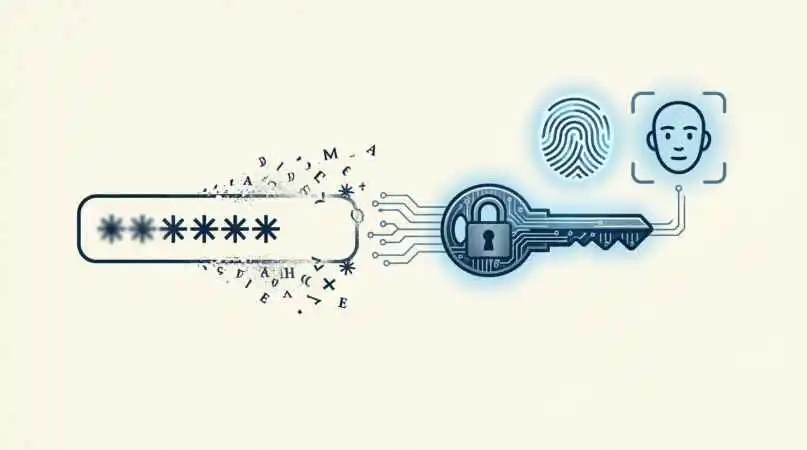
In practical, everyday use, logging in with a passkey looks and feels considerably simpler than a traditional password login. Rather than typing a password, a user is prompted to verify their identity using whatever authentication method their device already uses to unlock itself, a fingerprint, facial recognition, or a device PIN, and that local verification unlocks the private key stored securely on the device, which then completes the cryptographic login process automatically in the background.
This means the biometric data itself, a fingerprint scan or a facial recognition map, never leaves the user’s device and is never transmitted to or stored by the website being logged into; it is used purely to unlock the locally stored private key, an important distinction that addresses a common misconception and privacy concern people initially raise about passkeys relying on biometric authentication.
The Underlying Standard: FIDO2 and WebAuthn
Passkeys are built on top of established, open technical standards developed by the FIDO Alliance, an industry consortium including major technology companies, alongside the WebAuthn standard developed in coordination with the World Wide Web Consortium, the organization responsible for core web standards. This standards-based foundation, rather than a single company’s proprietary technology, is a significant part of why passkeys have achieved such broad, coordinated adoption across competing platforms that do not typically cooperate closely on technical standards otherwise.
Because the underlying cryptographic standard is shared and open, a passkey created and used within one company’s ecosystem is built on the same fundamental technical approach as a passkey used within a competitor’s ecosystem, which has allowed passkey support to spread relatively quickly across a wide range of websites and apps without each one needing to build entirely custom, incompatible authentication infrastructure from scratch.
How Apple, Google, and Microsoft Each Implement It
While built on the same underlying standard, each major platform has implemented passkeys with its own specific ecosystem integration and syncing approach. Apple’s implementation syncs passkeys across a user’s devices through iCloud Keychain, protected by end-to-end encryption, meaning passkeys created on an iPhone become automatically available on a user’s Mac or iPad without any manual transfer step required. Google’s implementation similarly syncs passkeys through a user’s Google account and Google Password Manager, extending availability across Android devices and Chrome browser installations on other platforms.
Microsoft has integrated passkey support into Windows Hello, the operating system’s existing biometric authentication system, alongside broader passkey support across its own services, and has worked alongside Apple and Google as a founding member of the joint industry initiative specifically aimed at ensuring passkeys work reliably across different companies’ ecosystems rather than locking users into a single vendor’s specific implementation.
What Happens When You Switch Devices or Platforms
One of the more significant early criticisms of passkeys involved cross-platform portability, since early implementations sometimes made it genuinely difficult to use a passkey created within one company’s ecosystem, an iPhone, for example, when logging in from a different platform, a Windows laptop, without some workaround. This concern has been substantially addressed through both the joint cross-platform working group’s ongoing standards work and QR-code-based cross-device authentication flows, which allow a passkey stored on a phone to authenticate a login attempt happening on a nearby but separate device, like a public computer or a different operating system entirely, by scanning a displayed QR code with the phone.
This cross-device flow, while a genuinely useful bridge solution, still requires the phone holding the actual passkey to be physically present and connected during the login process, meaning it does not yet fully replicate the seamless, always-available convenience of a traditional password that can simply be typed in from memory on any device, anywhere, a remaining friction point actively being addressed through continued industry standards work rather than a permanently unsolved limitation.
The Genuine Recovery Problem Nobody Loves Discussing
A frequently raised, legitimate concern about passkeys involves account recovery: since a passkey’s private key lives on a specific device or within a specific company’s synced ecosystem, losing access to all synced devices, or losing access to the account managing that sync, raises a genuinely harder recovery problem than a forgotten password, which can typically be reset through an email or phone verification process alone.
Major platforms have built specific account recovery mechanisms to address this, generally involving backup verification methods, recovery codes issued at setup, or fallback to previously established account security methods, but security researchers generally acknowledge that passkey account recovery remains a genuinely less mature, less battle-tested process across the industry than decades-old password reset flows, an area actively receiving continued engineering attention as passkey adoption scales toward mainstream, non-technical users who are considerably less likely to have carefully documented backup recovery codes stored somewhere safe.
Why Businesses Are Pushing This So Aggressively
Beyond the genuine security benefit to individual users, businesses have strong independent incentives to push passkey adoption. Password-related customer support costs, primarily password reset requests, represent a significant, ongoing operational expense for large consumer-facing companies, and account takeover fraud resulting from stolen or phished passwords carries direct financial costs through fraud losses, customer trust damage, and regulatory compliance risk in industries handling sensitive financial or health data specifically.
This alignment between genuine user security benefit and direct business cost reduction is a significant part of why major platforms have invested so heavily and moved so quickly on passkey rollout compared to many previous security technology transitions, which sometimes required convincing businesses to absorb near-term implementation costs for a security benefit that primarily helped their users rather than their own bottom line directly.
Where Adoption Actually Stands Today
Passkey adoption has grown substantially since major platforms began rolling out support, though meaningful gaps remain between technical capability and actual widespread daily use. Major technology companies, financial institutions, and a growing number of e-commerce platforms now offer passkey login as an option, and adoption tends to be notably higher among more technically engaged user populations who proactively seek out and enable the feature, compared to the broader general population, many of whom remain unaware passkeys exist as an available login option at all.
Industry surveys have generally found that awareness, rather than technical resistance, represents the larger current barrier to broader passkey adoption, with many users who do try passkeys after being specifically prompted or educated about them reporting a strong preference for the technology once experienced, a pattern that has led several major platforms to begin more actively prompting and defaulting users toward passkey setup during account creation and login flows, rather than treating it purely as an optional, hidden setting.
Small Businesses and Legacy Systems Are Lagging Behind
While major consumer platforms have moved quickly, passkey adoption among smaller businesses and organizations running older, legacy authentication infrastructure has proceeded considerably more slowly, given the genuine engineering investment required to properly implement passkey support alongside existing systems, particularly for organizations without dedicated security engineering teams readily available to lead such a migration.
This uneven adoption pace means passwords are likely to remain a necessary fallback authentication method for a considerable transitional period, even as passkey usage grows significantly among major platforms, since the practical reality of the broader internet includes an enormous long tail of smaller websites and services that will take considerably longer to fully migrate away from password-based systems, if they ever do so completely.
What This Means for Password Managers
The rise of passkeys has prompted a significant strategic shift among password manager companies, many of which have moved quickly to add passkey storage and management capability alongside their traditional password-storage functionality, recognizing that a tool built purely around password management risked becoming less relevant as passkey adoption grows. Several major password managers now support storing and syncing passkeys across devices independently of any single operating system’s built-in syncing ecosystem, offering an alternative for users who want their passkeys accessible across a mixed environment of different device brands and operating systems rather than locked within a single company’s ecosystem.
This evolution reflects a broader pattern common to major technology transitions: rather than being rendered obsolete, established tools in adjacent categories frequently adapt their core value proposition to remain relevant within a changed technical landscape, and password managers repositioning themselves as broader digital credential managers, encompassing both passwords and passkeys together, represents exactly this kind of adaptive response to a genuinely disruptive underlying technology shift.
Are Passwords Actually Going Away Entirely?
Despite the dramatic “death of passwords” framing common in coverage of this shift, most security researchers and industry practitioners describe a more gradual, extended transition rather than an abrupt, complete replacement. Passwords will likely persist as a fallback option for years, particularly across smaller and legacy systems slower to adopt passkey infrastructure, even as passkeys become the default, preferred login method across an increasing share of major platforms most people interact with daily.
This transitional reality means the most realistic near-term outlook involves a hybrid authentication landscape, passkeys as the default, preferred option wherever available, with passwords remaining as a necessary fallback for systems that have not yet completed the migration, rather than a clean, complete industry-wide cutover happening on any single specific date, a pattern consistent with how most major internet infrastructure transitions have historically unfolded over extended, multi-year periods rather than sudden, universal switchovers.
Frequently Asked Questions
| Question | Answer |
| What is a passkey? | It is a password less login method using public-key cryptography instead of a typed, shared secret. |
| How is a passkey different from a password? | A passkey never transmits a secret over the internet, while a password does, making passkeys phishing-resistant. |
| Are passkeys phishing-resistant? | Yes, since nothing secret is transmitted, a fake phishing site cannot capture or reuse a passkey. |
| Does a passkey store my fingerprint on websites? | No, biometric data stays on your device and only unlocks the locally stored private key. |
| What is FIDO2? | It is the open industry standard developed by the FIDO Alliance underlying passkey technology. |
| What is WebAuthn? | It is a web standard enabling passwordless authentication, developed alongside FIDO2. |
| Do Apple, Google, and Microsoft all support passkeys? | Yes, all three have implemented passkey support across their respective ecosystems. |
| How do passkeys sync across my devices? | Through platform-specific encrypted syncing, such as iCloud Keychain or Google Password Manager. |
| Can I use a passkey on a different platform than where it was created? | Often yes, through QR-code-based cross-device authentication, though the original device must be present. |
| What happens if I lose my device with my passkeys? | Recovery depends on platform-specific backup methods, which are still less mature than password resets. |
| Are passkeys harder to recover than passwords? | In some cases yes, since recovery relies on newer, less established backup mechanisms. |
| Why are businesses pushing passkey adoption? | They reduce password reset support costs and lower account takeover fraud risk. |
| Will passwords disappear completely? | Not entirely soon, as many smaller systems will continue relying on passwords for years. |
| Is passkey adoption widespread yet? | It is growing quickly among major platforms but awareness among general users remains limited. |
| Do passkeys require special hardware? | No, they use built-in device authentication like fingerprint or face recognition already present on most devices. |
| Can passkeys be phished like passwords? | No, their cryptographic design prevents them from working on fraudulent, look-alike websites. |
| What is public-key cryptography? | It is a system using a linked public and private key pair to verify identity without sharing secrets. |
| Does the private key ever leave my device? | No, the private key remains on the device and is never transmitted anywhere. |
| Are passkeys used for banking and financial accounts? | Yes, many financial institutions have begun offering passkey login options. |
| Why did earlier password alternatives fail to gain adoption? | They often required extra hardware or lacked coordinated support across major platforms. |
| What role does the FIDO Alliance play? | It is an industry consortium that developed the technical standards underlying passkeys. |
| Can small businesses easily adopt passkeys? | Adoption is slower due to the engineering investment required, especially for legacy systems. |
| Is biometric data required to use a passkey? | A device PIN can often be used instead of biometrics to unlock a passkey. |
| Do passkeys work the same across websites? | The underlying standard is shared, though platform-specific implementation details can vary slightly. |
| Why are passkeys considered more secure than passwords? | They eliminate the shared-secret vulnerability that makes passwords susceptible to theft and phishing. |
| Can I still use a password if a site offers passkeys? | Yes, most sites currently offer passkeys as an option alongside traditional password login. |
| How quickly is passkey adoption expected to grow? | Adoption is expected to continue growing steadily as awareness and platform support increase. |
| Do passkeys protect against all types of cyberattacks? | They specifically address password theft and phishing, though other security measures remain important too. |
| What is the biggest current limitation of passkeys? | Account recovery processes remain less mature compared to long-established password reset systems. |
| Will passkeys eventually become the default login method everywhere? | Many experts expect this over time, though a full transition will likely take several more years. |
Disclaimer: The content on this blog is for informational purposes only. The author’s opinions are personal and not endorsed. Efforts are made to provide accurate information, but completeness, accuracy, or reliability are not guaranteed. The author is not liable for any loss or damage resulting from the use of this blog. It is recommended to use the information on this blog at your own discretion.
